
Used Workstations for Sale from Ufficio Furniture
- office furniture

- 2 days ago
- 8 min read
A good workstation does not need to be brand new to support focused work, smooth collaboration, and a clean-looking space. In many cases, a well-built used workstation gives you the same practical value as a new one, often at a lower cost and with less waste.
That is the real appeal of used workstations for sale from Ufficio Furniture. They help companies furnish growing teams, refresh tired layouts, or set up temporary project areas without starting from scratch. The key is knowing what to look for before you buy.
Used office furniture can be a smart purchase, but only when the workstation fits the space, supports the way people work, and holds up under daily use. This guide walks through the main things to check so you can buy with confidence.

Why used workstations can be a smart buy
Workstations are one of the biggest furniture purchases for many workplaces. They affect layout, comfort, cable access, storage, and the overall feel of the space. Buying used can reduce the upfront cost while still giving you durable products from commercial-grade lines.
Unlike cheap disposable furniture, many commercial workstations are built for years of use. They often include stronger frames, better surface materials, thicker panels, and hardware designed for repeated assembly. When these pieces are removed carefully and stored properly, they can still have a long second life.
Used workstations also help when timing matters. New furniture orders can involve production lead times, freight delays, and backorders. Pre-owned inventory may be available faster, depending on current stock and configuration needs. That can make a difference when a team is moving, expanding, or reopening a space on a set schedule.
There is also a sustainability benefit. Reusing workstations keeps large furniture components out of landfills and reduces demand for new raw materials. For companies trying to make more responsible purchasing decisions, used furniture offers a practical way to reduce waste without sacrificing function.
The biggest benefit is flexibility. A business may not need one perfect custom setup. It may need a solid, clean, functional group of stations that can be installed quickly and adjusted over time. Used inventory often makes that possible.
What to check before buying used workstations
Not every used workstation is equal. The best options are clean, stable, complete, and compatible with your layout. Before making a decision, focus on the details that affect daily use.
Condition matters more than age
Age alone does not tell the whole story. A workstation that has been lightly used and properly removed may be in better shape than a newer one that was moved carelessly.
Look for signs of real wear:
Deep scratches or chips on work surfaces
Swollen edges from moisture
Bent metal legs or frames
Missing leveling feet
Loose brackets or stripped hardware
Damaged laminate, veneer, or trim
Stains that cannot be cleaned
Cracked panels or broken connectors
Small cosmetic marks may be acceptable, especially if the price reflects them. Structural problems are different. A workstation should not wobble, sag, or rely on improvised parts to stay together.
Check the configuration
Workstations come in many layouts. Some are built for individual focus. Others support benching, team pods, call center rows, or private cubicle-style setups. The right option depends on how the space will be used.
Common workstation layouts include:
Layout | Best use | What to confirm |
Single stations | Individual focused work | Surface size, privacy level, storage |
Benching systems | Team-based or open seating | Power access, spacing, shared legs |
L-shaped stations | Mixed computer and paperwork tasks | Return side, handedness, corner fit |
Panel workstations | More privacy and noise control | Panel height, connector compatibility |
Sit-stand compatible setups | Flexible posture support | Frame strength, surface depth |
Measure carefully before comparing options. A workstation may look compact in storage but feel too large once installed with chairs, walkways, file storage, and shared equipment nearby.
Confirm what is included
Used workstations are often sold in sets, but the included parts can vary. Make sure you understand exactly what comes with the purchase.
Ask about:
Work surfaces
Frames or legs
Panels or dividers
Connector posts
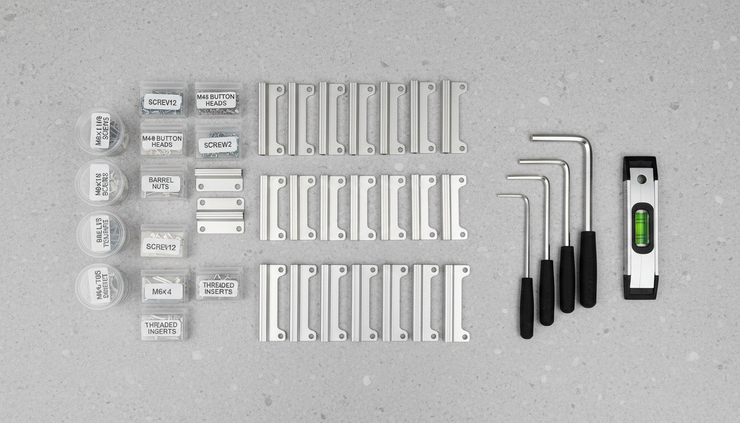
Brackets and hardware
Pedestals or storage units
Cable trays or wire management
Power components, if applicable
End panels and trim pieces
Missing hardware can turn a good deal into a slow project. Even basic brackets can be hard to match if the workstation is from an older furniture line. A reputable seller should help clarify what is included and what may need to be sourced separately.

How to match workstations to your space
Buying used is easiest when you know your space before you shop. The right workstation must fit both the floor plan and the way people move through it.
Start with the overall room dimensions. Then mark fixed points that cannot move, such as doors, windows, columns, outlets, vents, built-in cabinets, and emergency exits. Furniture should never block safe movement or access to important building systems.
Next, think about traffic flow. People need room to sit, stand, pull out a chair, open storage, and walk behind other workers. A workstation layout that looks efficient on paper can feel cramped if there is not enough clearance.
A few practical planning points can help:
Leave comfortable walkways between workstation rows
Keep shared equipment easy to reach without crowding seats
Avoid placing monitors where glare will be constant
Plan cable paths before installation
Match privacy levels to the type of work being done
Allow extra space for future changes
Power and data access deserve special attention. Some workstations include built-in cable management or raceways. Others need separate planning for cords, outlets, floor boxes, or wall connections. Since electrical codes and building conditions vary, qualified professionals should handle any electrical work.
Storage is another factor. Some teams need pedestal drawers at every seat. Others have shifted toward shared storage or digital files. If used workstations include storage, check that drawers open smoothly, locks work if needed, and keys are available.
Color and finish matter too. Used furniture may come from several batches, so exact matches are not always guaranteed. A slight finish difference may be fine in a back office, project room, or flexible workspace. For client-facing areas, consistency may matter more.
The value of buying from a furniture-focused seller
Used furniture is available from many sources, but not every seller understands commercial workstation systems. Buying from a furniture-focused provider can make the process easier because workstations are not simple one-piece items. They are systems made of surfaces, supports, panels, trim, electrical channels, and small hardware.
A knowledgeable seller can help identify compatible pieces, explain common layouts, and point out condition issues that a general reseller might miss. That matters when buying several stations at once.
Ufficio Furniture can be part of that search when you want pre-owned workstation options rather than starting only with new furniture. The value is not just the product itself. It is also the guidance around fit, condition, and practical use.
When comparing sellers, look for clear communication. You should be able to ask direct questions and get useful answers. Photos should show the actual condition whenever possible. Measurements should be specific. Any limitations should be stated before purchase.
Good questions to ask include:
How many matching stations are available?
Are all parts from the same manufacturer or line?
What condition are the surfaces and panels in?
Is installation available or recommended?
Are the stations sold as-is or inspected before sale?
Can the layout be adjusted?
Are replacement parts available if needed?
How will the furniture be packed or delivered?
Price matters, but clarity matters just as much. A lower price is less helpful if the order arrives without enough parts to complete the layout.

Budgeting for more than the sticker price
The price of used workstations is only one part of the total cost. A smart budget includes everything needed to get the furniture from storage to daily use.
Think through these costs before approving a purchase:
Delivery
Workstation components can be heavy and bulky. Delivery costs may depend on distance, volume, loading conditions, and whether items need to go up stairs or into elevators. A nationwide order may also involve freight planning.
Installation
Some workstations are straightforward. Others require careful assembly, leveling, panel alignment, and cable routing. Professional installation can save time and reduce the risk of damage, especially for larger orders.
Cleaning and touch-ups
Many used workstations need only basic cleaning. Some may benefit from edge touch-ups, replacement glides, new keys, or fresh marker boards if panels include writable surfaces.
Space planning
Even simple layout planning can prevent costly mistakes. If the order includes many stations, a scaled floor plan helps confirm that everything fits before delivery.
Extra parts
Budget for a small margin of extra hardware or components when possible. Used systems may need spare brackets, connectors, or trim pieces later.
A good used workstation purchase still saves money only if the final setup works. The goal is not just to buy furniture cheaply. The goal is to create a usable workspace without waste, delay, or surprise expenses.
Signs a used workstation is a good fit
A strong used workstation option should meet a few practical standards. If most of these boxes are checked, the purchase is more likely to go smoothly.
Look for workstations that are:
Structurally sound with stable frames and secure panels
Complete enough for the planned layout
Clean and presentable for the intended space
Sized correctly for the room and user needs
Compatible with power, data, and cable plans
Available in the right quantity for the full team
Reasonable to deliver and install within the project timeline
The best choice is usually the one that balances price, condition, and fit. A beautiful workstation that does not match the floor plan is not a bargain. A low-cost set with missing parts may cost more in time than it saves in money.
If you are choosing between several options, rank them by practical value. Start with fit and completeness. Then compare condition, finish, delivery, installation, and price. That order keeps the decision grounded.
How to prepare before placing an order
A little preparation makes the buying process faster and less stressful. Before speaking with a seller, gather the information that affects recommendations.
Have these details ready:
Number of people using the workstations
Preferred layout or seating style
Room dimensions
Photos of the empty space
Door, elevator, or loading restrictions
Desired finish colors
Storage needs
Power and data requirements
Target delivery timeline
Budget range
If the workstations will support computer-based work, think about monitor sizes, keyboard trays, task lighting, and cable routing. If the space supports phone work or focused tasks, panel height and acoustic separation may matter more.
For shared or temporary spaces, flexible layouts can be more useful than highly customized ones. Used workstations often work well in training rooms, project spaces, administrative areas, co-working zones, and growing offices that need practical furniture now.
It also helps to decide where you can compromise. Maybe finish color is flexible, but size is not. Maybe storage is optional, but fast delivery is essential. Clear priorities help the seller narrow the choices.
A practical way to furnish with less waste
Used workstations offer a strong middle ground between bargain hunting and buying everything new. They can look professional, function well, and support teams without stretching the budget further than necessary.
The smartest purchases start with measurements, a clear layout, and careful questions about condition and included parts. From there, a furniture-focused seller can help match available inventory to the real needs of the space.
If you are exploring used workstations for sale from Ufficio Furniture, start with the basics: how many seats you need, how much room you have, and what kind of work the stations must support. A workstation only proves its value after people use it every day. Choose the option that fits the space, holds up under use, and makes the next move easier.
Ufficio Furniture-Your Office Furniture Solution!
Our Address: 1215 Meyerside Drive, Unit 7 Mississauga, ON L5T 1H3
Contact:
Call us at:
Store Number: 905-795-2506(10am-7pm)
#1) [647-898-8918]
#2) [647-955-1206]
For more furniture: www.ufficiofurniture.com
Business Hour:
MONDAY: 10am-7pm
TUESDAY: 10am-7pm
WEDNESDAY: 10am-7pm
THURSDAY: 10am-7pm
FRIDAY: 10am-7pm
SATURDAY: 10am-7pm
SUNDAY: 11am-6pm
No appointments required. Just walk in during the business hours Mississauga.
Same day or next day delivery available.


Comments